
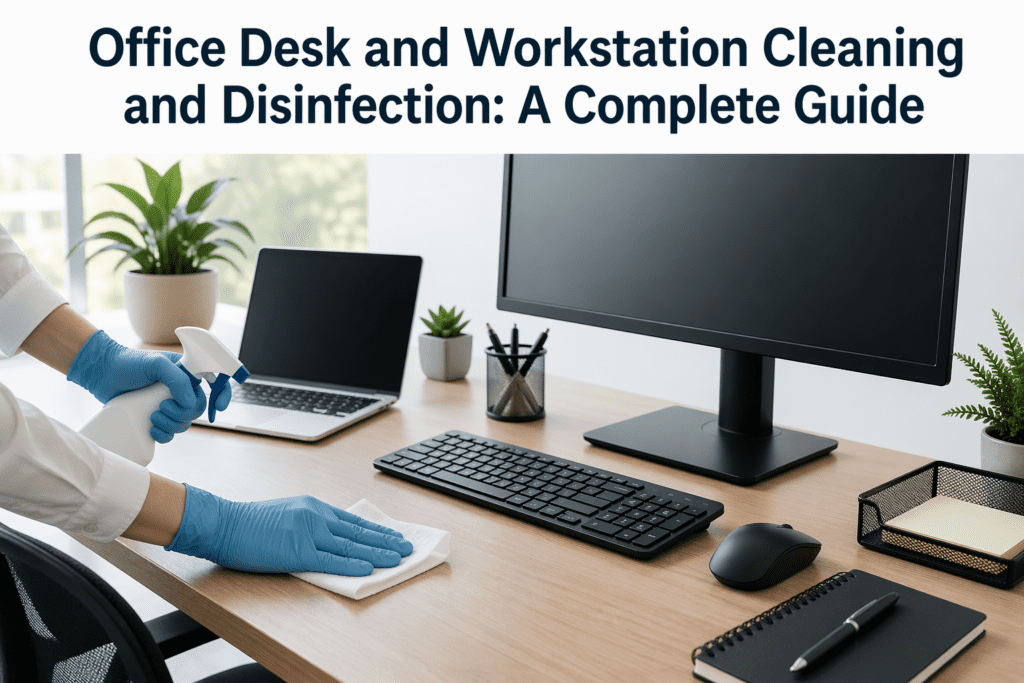
A clean and well-organized office desk or workstation is essential not only for productivity but also for your health. With office spaces being shared and desks often becoming cluttered with paperwork, food, and personal items, cleaning and disinfecting them regularly is crucial. This guide will walk you through the best practices for keeping office desks and workstations clean and free from germs, providing a healthier work environment for you and your colleagues.
Why Office Desk and Workstation Cleaning Matters
Your office desk and workstation can easily accumulate germs, dust, food crumbs, and bacteria, especially when multiple people use the same space. Desks are high-touch areas, with items like phones, keyboards, mice, and even documents being regularly handled. Keeping these areas clean not only improves your workspace’s appearance but also helps reduce the spread of illness-causing germs and allergens, especially in shared office spaces.
Here’s why office desk cleaning and disinfection are vital:
- Health Benefits: Regular cleaning reduces the risk of illness from bacteria, viruses, and allergens.
- Increased Productivity: A clutter-free, clean workspace promotes focus and efficiency.
- A Professional Environment: Clean desks and workstations contribute to a more polished and professional office atmosphere.
How Often Should Office Desks Be Cleaned and Disinfected?
Office desks should be cleaned daily and disinfected regularly. Here’s a breakdown of how often to clean different areas:
- Daily Cleaning:
- Wipe down your desk surfaces (including phone, keyboard, mouse, and work materials).
- Organize papers and other items to reduce clutter and make the space more functional.
- Empty trash bins and replace liners.
- Weekly Cleaning:
- Clean your desk more thoroughly by dusting hard-to-reach areas, like under the desk and behind your computer.
- Wipe down all equipment with appropriate cleaning products.
- Monthly Deep Clean:
- Disinfect frequently touched items like computer screens, phones, and shared workstations.
- Clean chair arms, the underside of the desk, and check for any sticky surfaces or hidden spills.
Essential Tools and Supplies for Desk and Workstation Cleaning
To keep your desk clean and sanitized, you’ll need a few basic supplies:
- Disinfectant Wipes or Spray: For cleaning keyboards, desks, phones, and other high-touch surfaces.
- Microfiber Cloths: Gentle on surfaces and great for wiping dust and grime.
- Dusting Tools: A small handheld vacuum or duster to reach crevices, corners, and keyboard areas.
- Trash Bags and Bins: To maintain cleanliness and dispose of any paper waste.
- Keyboard and Screen Cleaner: Special cleaning products designed for electronics.
- Gloves: For handling cleaning agents and to protect your hands when disinfecting.
Step-by-Step Guide for Cleaning and Disinfecting Office Desks and Workstations
1. Declutter the Desk
Start by removing unnecessary items from your desk. Clear off any old papers, food wrappers, or other clutter. This will not only make your workspace look more organized but also reduce the number of items you’ll need to clean.
2. Dust and Wipe Down Surfaces
Use a microfiber cloth to dust your desk, including the back of your computer monitor, shelves, and other surfaces. Make sure to wipe down any objects that sit on your desk, such as pens, lamps, or staplers, to remove dust buildup.
3. Disinfect High-Touch Areas
Disinfect the most frequently touched areas of your desk:
- Keyboard and Mouse: Spray a disinfectant on a cloth and wipe both the keyboard and mouse. Be careful not to use too much liquid, especially near electronic components.
- Phone: Wipe down your phone with disinfectant wipes or a cloth sprayed with a disinfectant solution.
- Desk Surface: Spray a light layer of disinfectant on the desk surface, and wipe it down with a microfiber cloth.
4. Clean the Chair and Surrounding Area
Don’t forget to clean the chair and the area around your desk. Vacuum the floor to remove crumbs, dust, and other debris. Wipe down the chair arms and seat using an appropriate cleaner depending on the material (fabric, leather, etc.).
5. Empty and Clean the Trash Bin
Empty your trash bin and replace the liner. Clean the trash can itself by wiping it down with disinfectant to remove any residue.
6. Organize Your Workspace
Now that everything is clean, take the time to organize your desk. Store files in drawers or file holders, arrange your supplies neatly, and ensure your workspace is ready for productive work.
The Importance of Using the Right Cleaning Products
It’s crucial to use the right products when cleaning your desk to avoid damaging your equipment or leaving harmful residues. Here’s what you should look for:
- Non-abrasive cleaners: Harsh chemicals can damage your desk surface or screen. Always use cleaners that are safe for your type of desk (wood, metal, or glass).
- Antibacterial wipes or sprays: For high-touch areas like the keyboard, phone, and desk, make sure to use disinfectant products that effectively kill germs without leaving a sticky residue.
- Screen-safe cleaners: Use special cleaners designed for electronics to clean your computer monitor and phone screen.
Office Desk and Workstation Cleaning Best Practices
Here are some best practices to help keep your desk clean in the long run:
- Avoid eating at your desk: This will help prevent crumbs and food residue from accumulating.
- Keep disinfecting wipes or spray handy: Having cleaning supplies at your desk will make it easier to clean surfaces as needed throughout the day.
- Encourage a clean desk policy: If you manage an office or shared workspace, encourage employees to keep their workstations tidy and clean.
- Use desk organizers: Keeping your desk organized will help reduce clutter and make regular cleaning easier.
Conclusion
Maintaining a clean and disinfected office desk and workstation is essential for your health, productivity, and overall well-being. Regular cleaning ensures that you can work in a hygienic, clutter-free environment, reducing the risk of illness and boosting focus and efficiency. By following these cleaning steps and best practices, you’ll create a workspace that’s not only visually appealing but also safer and more pleasant to work in. Don’t forget to make cleaning a part of your daily routine to enjoy a fresh, clean office every day!
Ready to Keep Your Office Clean and Healthy?
If you don’t have the time or resources to maintain a clean office workspace, Snip Clean is here to help. We offer professional cleaning services to ensure your office remains spotless, sanitized, and ready for productive work. Contact us today to schedule a cleaning service or get a quote for your office cleaning needs.